You've just restocked 40 new items. Each one needs a name, a description, a price and a photo before anyone can buy it online.
So you start typing. "Lovely bag. Good quality. Available in black." By item 12 you're copying and pasting. By item 20 you've stopped, and the rest sit unlisted for another week.
Listing products is the job every seller puts off. It's also the job that decides whether a customer buys.
How AI writes a product description from a photo
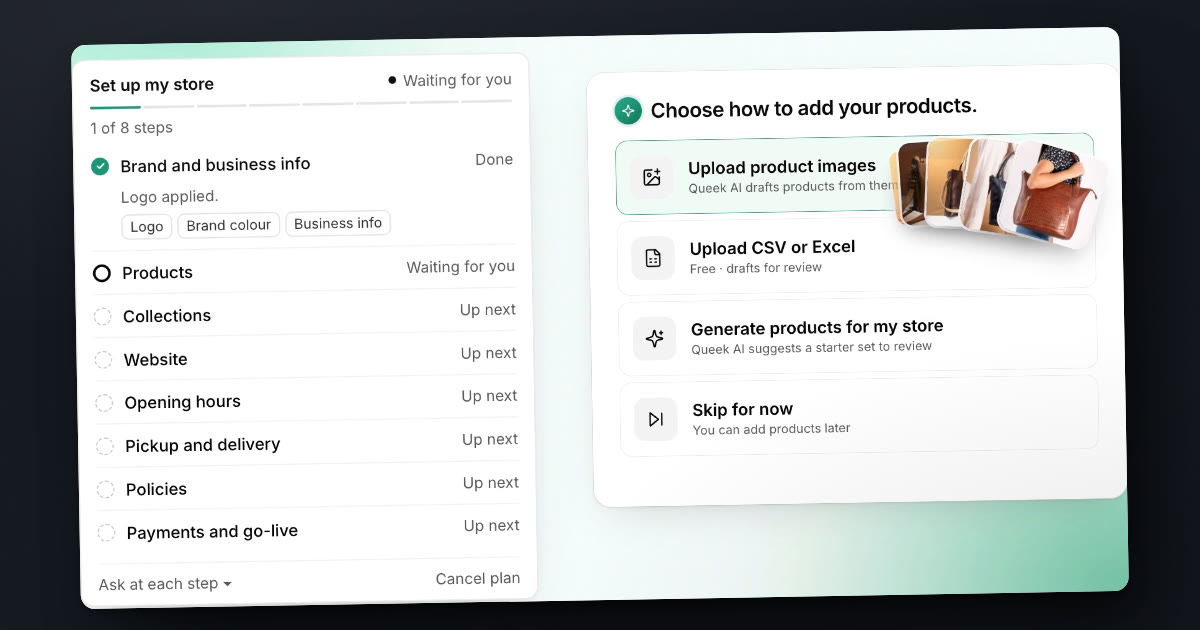
Getting an AI product description from a photo means you don't start from a blank page. Snap a photo of a product, or of your menu or price list, and Queek AI drafts the products for you: names, descriptions and details, ready to check.
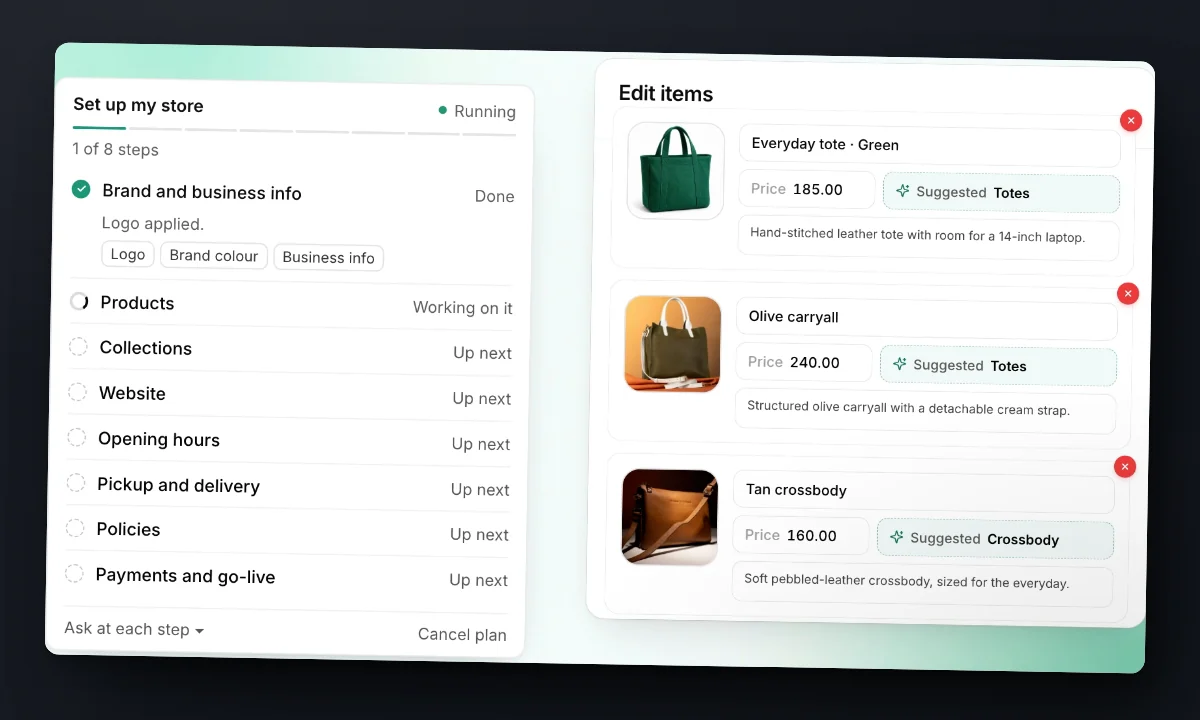
Then you go through the drafts. Fix anything that's off, approve what's right. Nothing goes live until you approve it.
Instead of typing every description yourself, you review drafts.
What AI is great at
- Getting you past the blank page. A clear, readable draft for every item.
- A shared starting point. Every product gets a draft, and you edit them into one style so your store looks put together.
- Speed. A whole menu or price list drafted from one photo.
What you should always check
A photo shows what a product looks like. It can't tell AI everything. Before you approve, check:
- Price. Make sure it's your real selling price.
- Sizes and colours. Match them to what you actually have in stock.
- Materials. Don't let "leather" or "waterproof" slip in unless it's true.
- Health and ingredient claims. Food, beauty and wellness details must match the label.
- Anything a photo can't show. Care instructions, origin, what's in the box.
A quick check takes seconds per item, and it's what keeps your customers trusting your listings.
Take better photos, get better drafts
- Shoot in daylight, on a plain background.
- Show the label if it has sizes, ingredients or materials on it.
- One product per photo for individual items. A clear, flat shot for menus and price lists.
Portrait or landscape both work. Queek's store themes fit your photos into a neat grid.
Approve once, sell everywhere
Approved products go straight into your Queek catalogue. That means they show up on your website, and at your counter and on your QR menu (Starter, Growth, Scale or Enterprise), all from one list. In your WhatsApp, Instagram and Telegram chats (Social Media, Growth, Scale or Enterprise), you choose which products are available. See plans.
Don't have a website yet? The AI website builder sets one up for you, and it's on every plan, including Free.
Get started
- Create your store at usequeek.com.
- Snap your products, or your menu or price list.
- Check the drafts using the list above.
- Approve, and your products are live.
Spend your time selling, not typing
Your products deserve better than "good quality, available in black". Now you review a draft instead of writing from scratch.
Start on Queek and list your next batch from a photo.
Frequently asked questions
Can AI write a product description from a photo?
Yes. Queek AI looks at your photo, for example a product or a menu, and drafts the product details for you to check.
Does Queek publish AI drafts automatically?
No. Every drafted product comes back to you, and nothing goes live until you approve it.
What should I check before approving an AI description?
Check the price, sizes and colours, any material or health claims, and anything the AI can't know from a photo, like ingredients or care instructions.
Where do my products appear after I approve them?
On your Queek website, and in your other channels too: your chats, your counter and your QR menu use the same product list, on the plans that include them. You choose which products are available in your chats.