
Every aisle, every till, one stock count.
Ring up the queue fast, restock with purchase orders, and take delivery orders online, all from one catalogue.
- POS and barcodes from Starter
- Suppliers and purchase orders
- No commission on your own channels
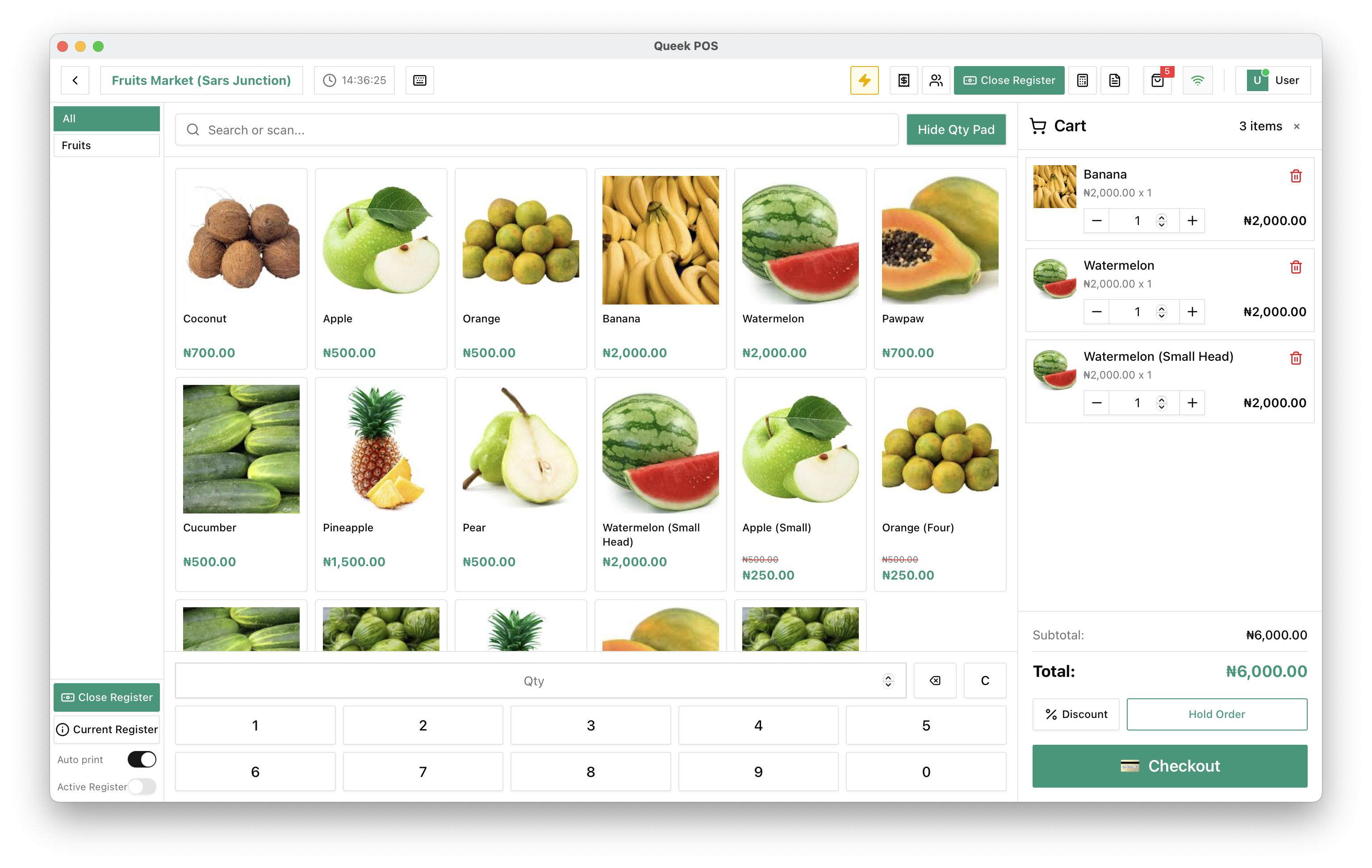
Search or scan, then next customer.
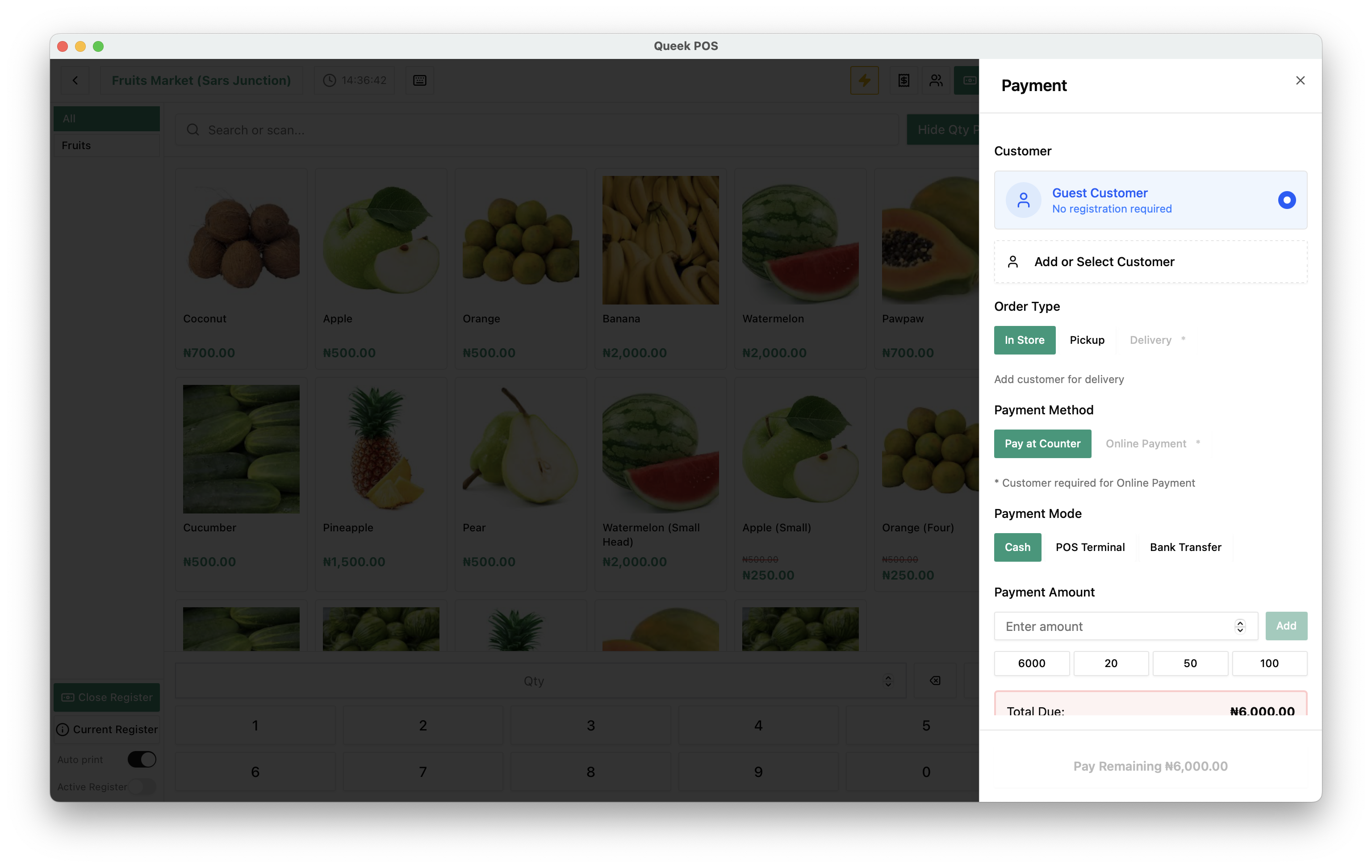
Generate barcodes for your products, scan them at the till, and take cash, transfer or your POS terminal on the same screen.
Restock from the same catalogue.
Every sale comes off one stock count. Manage suppliers and raise purchase orders from the products you already sell.

Groceries, delivered.
Put your aisles online with a clean theme like Deluxr. Deliver with Queek riders or your own, or let customers pick up.

From the supplier to the shopper's door.
Starter covers walk-in stores. Scale adds the operations suite for bigger teams, inventory processes and more than one location.
Compare plansBarcode generator
Barcodes for every product you stock.
Suppliers and purchase orders
Restock from the same catalogue.
One stock count
Till, website and inbox sales from one number.
Delivery or pickup
Queek riders or your own.
Queek Marketplace
Sold to shoppers who ask Queek AI. Commission only here.
Exports
Products, orders, customers and team.
Supermarket questions, answered.
What to know before you open the tills.
Frequently asked questions
Which plan suits a supermarket?

Starter covers POS, barcodes, suppliers and purchase orders. Scale is built for teams, inventory processes and more than one location.
Can I scan barcodes at the till?
Yes. Generate barcodes for your products on Starter and up, then search or scan them at the POS.
Can customers order groceries online?
Yes. Your website and Queek Marketplace take orders for delivery or pickup, from the same stock as your tills.
Set up once. Start selling today.
Free to start. Add POS, inboxes and your team when you need them.
- 01
Add your products
Type them in, or let Qee draft them for your approval.
- 02
Choose your channels
Website, inboxes, in-store QR, POS and Marketplace.
- 03
Take your first order
It lands in Queek OS, ready to fulfil.

Table 4 · 3 items
via online payment
Your first order, on any channel