
Add it once. Sell it everywhere.
One catalogue feeds your website, inboxes, in-store QR, POS and Queek Marketplace, with one stock count that every sale updates.
- Categories, options and variants
- Stock and publish toggles
- Barcodes on Starter and up

Sell it anywhere. Every channel knows.
A counter sale, a website checkout and a WhatsApp order all draw from the same stock number, so your channels never disagree.
Stock synced
Everyday tote12 left
 WhatsApp
 InstagramIn-store QRPOS
Website, inboxes, QR and POS
Organise it with categories and options.
Group products into categories and add options like size or add-ons. Switch an item's stock or visibility off in one tap.
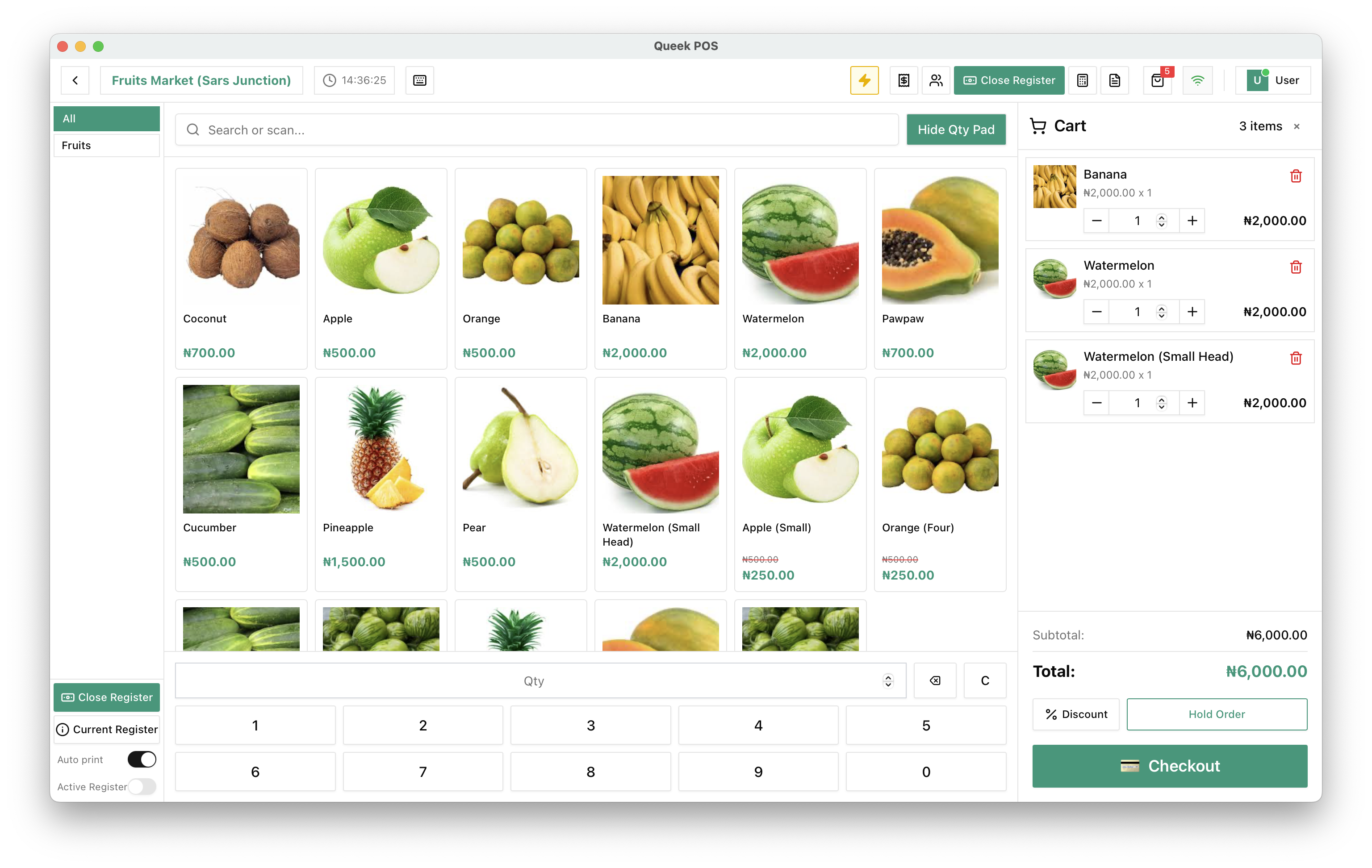
The same products, at the till.
Queek POS shows the catalogue with photos and prices. Search or scan, and every counter sale comes off the same stock.
Everything behind the shelf.
Catalogue tools on every plan. Barcodes, suppliers, purchase orders and exports from Starter up.
Compare plansDrafted by Qee
Hand Qee a menu photo and get products back for your approval.
Custom fields
Add your own product details with metafields.
Barcode generator
Generate barcodes for your products, Starter and up.
Suppliers and purchase orders
Restock from the same catalogue, Starter and up.
Product export
Export your catalogue, Starter and up.
Stock webhooks
Every stock change fires an event, with the reason.
Catalogue questions, answered.
What to know before you upload.
Frequently asked questions
Do I add products separately for each channel?

No. Add a product once and every channel you switch on reads it, with the same price and stock.
Can products have sizes or add-ons?
Yes. Add options and variants to any product, and customers pick them at checkout.
Can Qee add my products for me?
Yes. Hand Qee a menu photo or a list and it drafts the products for you to approve before anything goes live.
Which plans include barcodes and purchase orders?
Starter, Growth, Scale and Enterprise, along with suppliers and product export.
Set up once. Start selling today.
Free to start. Add POS, inboxes and your team when you need them.
- 01
Add your products
Type them in, or let Qee draft them for your approval.
- 02
Choose your channels
Website, inboxes, in-store QR, POS and Marketplace.
- 03
Take your first order
It lands in Queek OS, ready to fulfil.
₦12,800
via online payment
Your first order, on any channel