
Build and run your storefrom ChatGPT and Claude
Queek OS works inside ChatGPT and Claude. Add products, check orders and launch a coupon in plain words, on the same store your customers buy from.
Queek, wherever you use AI.
Chat assistants that run your store with you.
Add products, check orders, launch coupons and build pages from ChatGPT or Claude.
Show me today's orders


Today · 3 orders
- #QK-1043₦37,0002 itemsPaid
- #QK-1042₦18,5001 itemOn the way
- #QK-1041₦24,3003 itemsDelivered
Queek AI builds your website from what you sell.
Say what you sell and Queek AI builds the site from your own products. Included on every plan.

Your own tools, built on the Queek API.
Point your AI coding tool at the Storefront API and ship a custom storefront that checks out on Queek.
› Build a storefront for my Queek store from client.usequeek.com/openapi.json
- Read the Storefront API spec
- Built product and collection pages
- Cart hands off to Queek checkout
- Draft three products from these photos
- Why did sales dip on Tuesday?
- Fix what's stopping my store going live
Qee, built into Queek OS.
Qee drafts products, builds pages, fixes what's broken and reads your numbers, all through chat inside Queek OS. Nothing changes until you approve it.
Meet QeeI'm Qee
Ready when you are.
Your store, in ChatGPT
Add Queek OS to ChatGPT, sign in to your store, and ask for what you need. Build your store, add products and check today's orders without leaving the chat.
Build your store
I sell handmade leather bags. Build my store.


Three themes ready. Pick one to publish.
Add products
Add an Everyday tote for ₦18,500
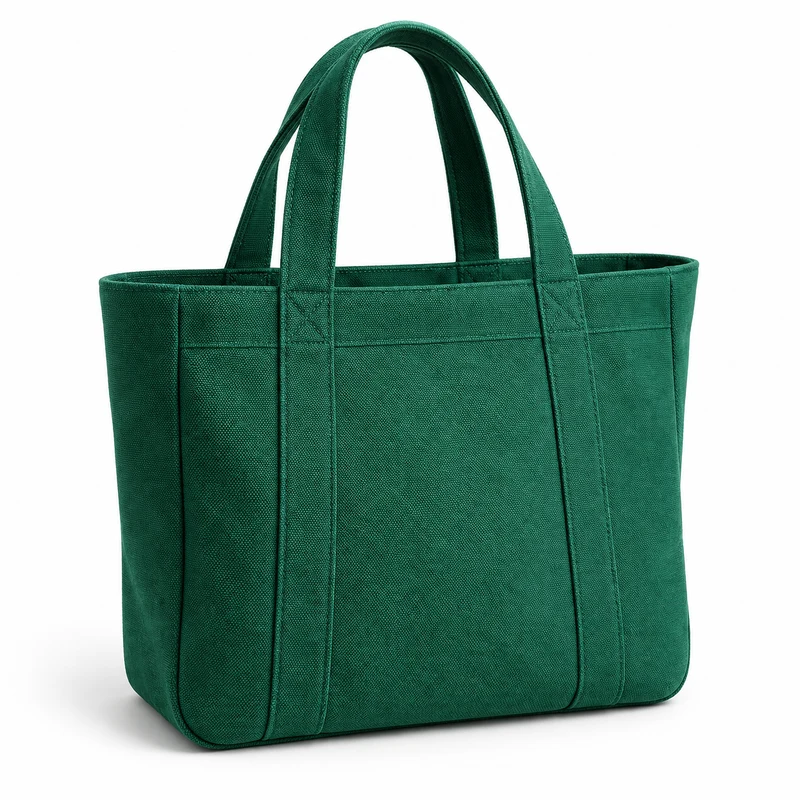
Everyday tote
Needs your yes₦18,500
See today's orders
Show me today's orders
Today · 3 orders
- #QK-1043₦37,0002 itemsPaid
- #QK-1042₦18,5001 itemOn the way
- #QK-1041₦24,3003 itemsDelivered
Your store, in Claude
Add Queek OS to Claude, sign in to your store, and ask about your business. Track sales, see what's selling and launch a coupon in plain words.
Connected- Track your sales
- Know what's selling
- Launch a coupon
More you can ask in Claude
Check an order
“Where is order #QK-1042 right now?”
Build a page
“Add an FAQ section to my homepage”
Write a blog post
“Write a post about our new arrivals”
Get connected, get going.
Three steps from your assistant to your store, then ask for what you need.
Add Queek OS to your assistant
- 01
Add Queek OS
Add the Queek OS connector in ChatGPT or Claude.
- 02
Sign in to your store
Pick the one store this connection manages.
- 03
Start asking
Plain words work. Deletes and new products wait for your yes.
More you can ask in ChatGPT or Claude
Organise collections
Put everything under ₦10,000 in a Budget collection
Upload photos
Use this photo for the Everyday tote
Set up delivery
Add a Downtown delivery zone at ₦2,500
Build with AI questions, answered.
What to know before you connect your assistant.
Frequently asked questions
Do I need a Queek store first?
Yes. Queek OS manages a Queek store, so create one free, then add Queek OS to ChatGPT or Claude and sign in.
Can the assistant delete things or move money?
It can't delete, switch your theme or create products until you say yes in the chat. It has no tool for refunds or payments.
Can I give it read-only access?
Yes. When you connect, you choose read-only or read and write for that one store.
What do ChatGPT and Claude see?
Only the results of what you ask. Queek never sends your store data to them for training.
How do I disconnect?
From your Queek dashboard or the assistant's connected apps. It stops straight away.
I'm building my own storefront or agent. What should I use?
The Storefront API. It reads a store's catalogue and builds carts that check out on Queek.