
Know your numbers. Every channel, one overview.
Orders, revenue, settlements and performance in one place, built from the same records every channel writes to.
- Revenue after commission
- Pending settlements
- Daily, weekly or monthly
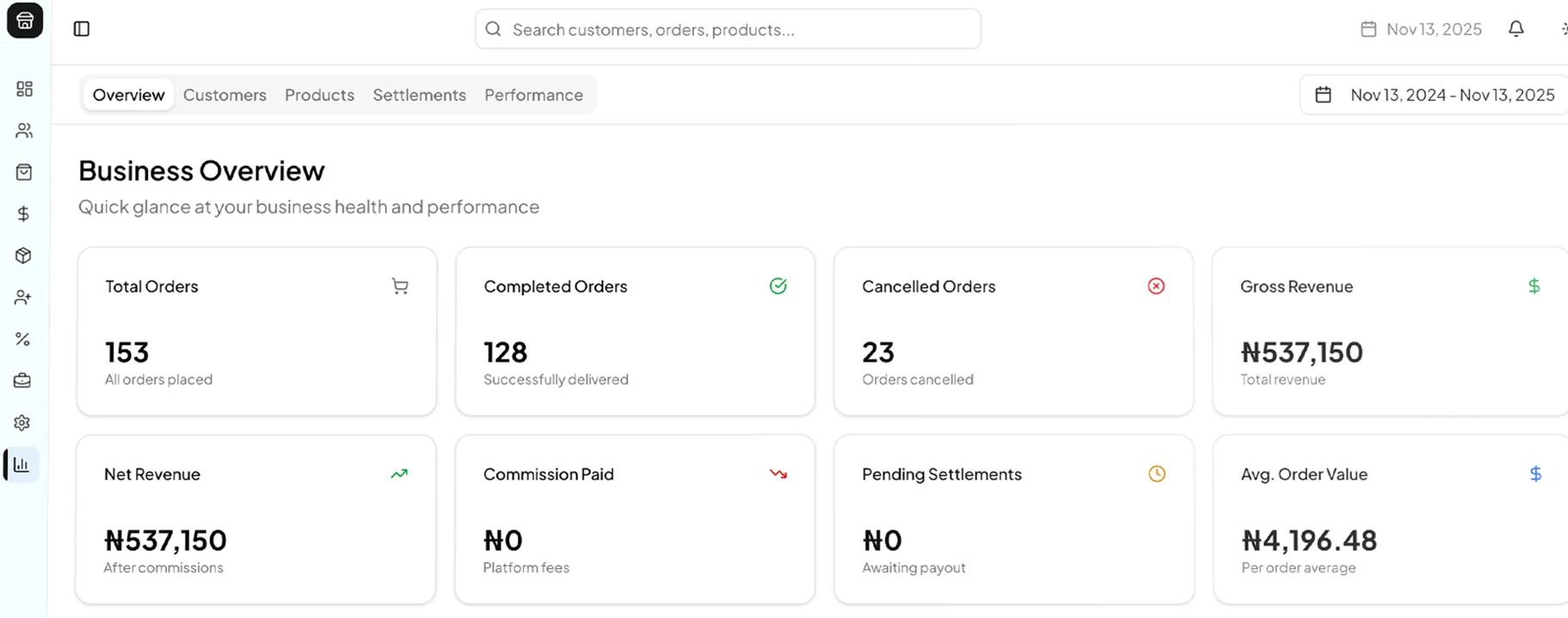
The numbers that matter, up front.
Total, completed and cancelled orders, gross and net revenue, Marketplace commission, pending settlements and average order value, side by side.
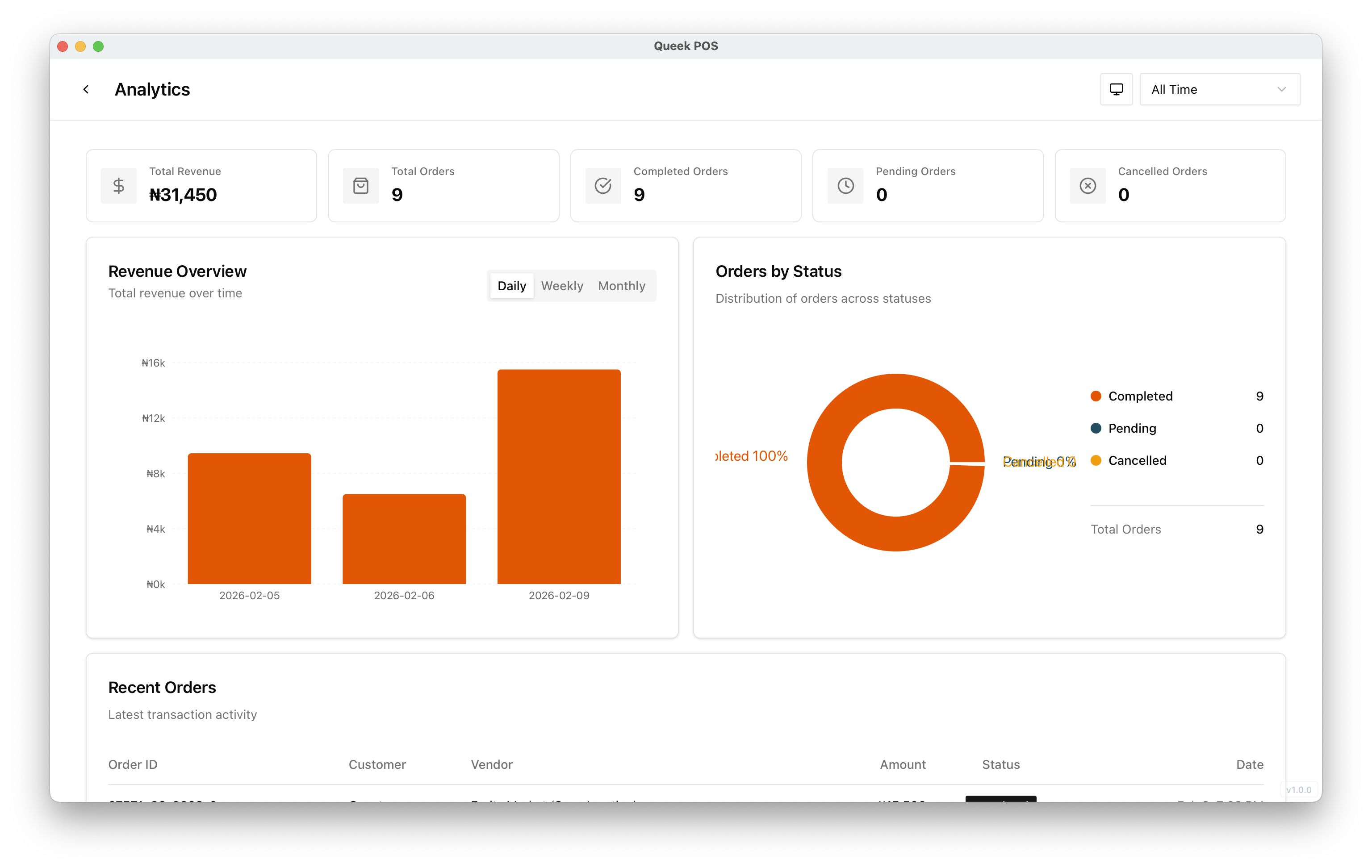
How today is going, straight from the till.
Queek POS shows revenue over time, orders by status and your latest orders, by day, week or month.
Or skip the charts and ask Qee.
Ask what sold this week, by channel, without opening a spreadsheet. Qee reads the same records as your overview.
One set of numbers, every channel.
Every order counts once, in the same place, whichever channel it came from.
See every channelEvery channel together
Website, inbox, QR, POS and Marketplace orders in one view.
Net of commission
Revenue after Marketplace commission, and what's still to settle.
Trends over time
Orders and revenue by day, week or month.
Customers and products
Tabs for customers, products, settlements and performance.
Exports
Orders, products, customers and team, on Starter and up.
Website analytics
Switch on the analytics app for your website.
Analytics questions, answered.
What to know about your numbers on Queek OS.
Frequently asked questions
Do I need a separate analytics tool?

No. The overview is built from the same orders and payments your channels record, so there's nothing to connect or reconcile.
Can I see revenue after commission?
Yes. The overview shows gross revenue, commission paid, net revenue and pending settlements. Commission only applies to Queek Marketplace orders.
Can I export my data?
Yes. Order, product, customer and team exports come with Starter, Growth, Scale and Enterprise.
Set up once. Start selling today.
Start free. Add a POS, social inboxes and staff as you grow.
- 01
Add your products
Snap a photo or a price list. Qee drafts every product, and you approve.
- 02
Choose your channels
Website, chats, Google and social feeds, in-store QR, POS and Marketplace.
- 03
Take your first order
Wherever it comes from, it lands in one queue, ready to fulfil.

Table 4 · 3 items
via online payment
Your first order, on any channel